 Checknaut
Keep Divi design consistent
Use a shared design system instead of repeating styles on every module.
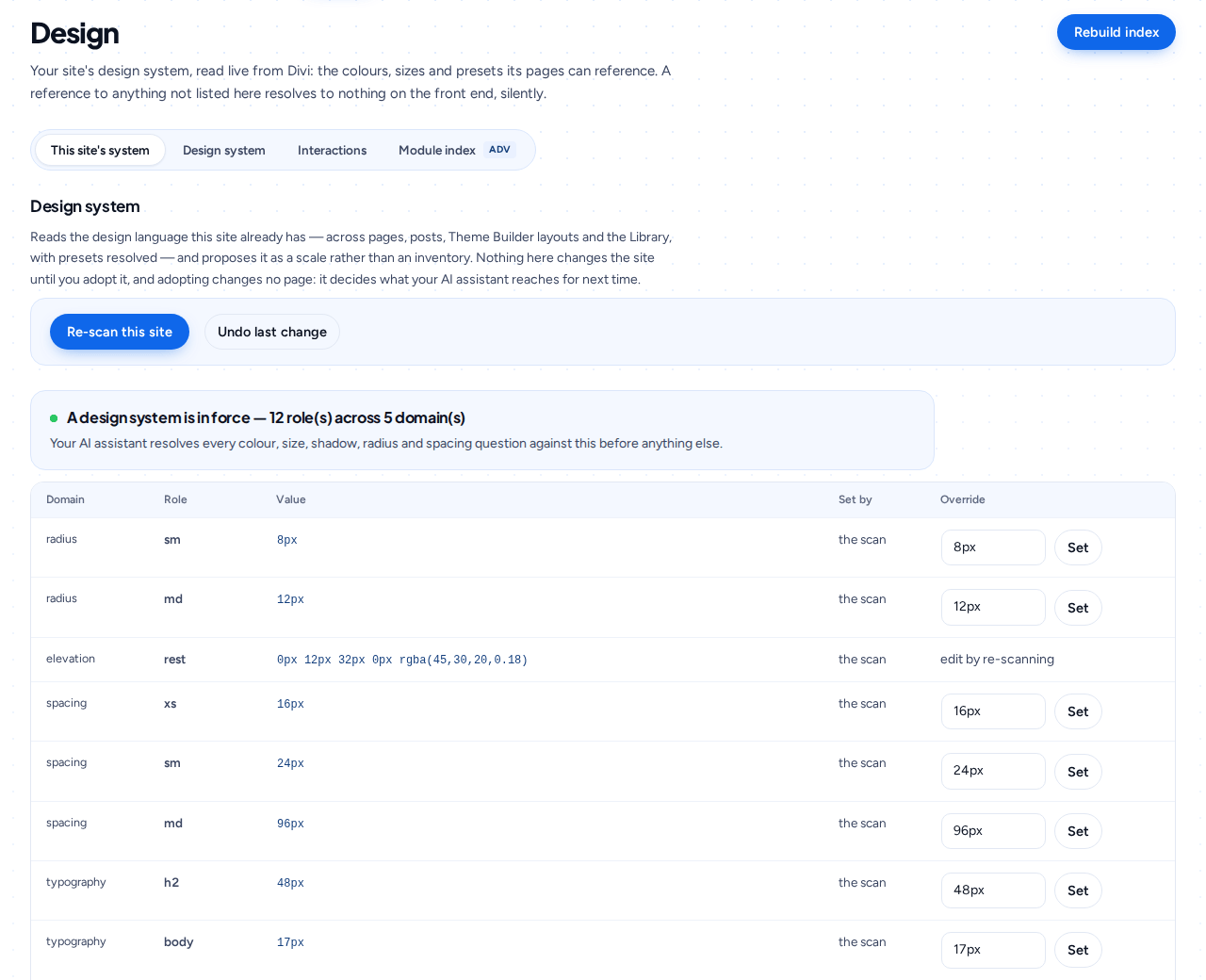
What to expect
- Checknaut Pro can inspect supported Divi 5 variables, presets and reusable patterns. Changing them needs the Builder Pack (included in every Pro plan).
- Preview broad changes before applying them. A shared header or preset can affect many pages.
- Custom HTML inside a Code module remains code-editable; it does not become a set of native Visual Builder controls.
Common questions
What can Checknaut Pro inspect?
Supported Divi 5 variables such as colours, fonts and spacing, plus presets and reusable patterns. That shows where pages drift away from the design system.
What do I need to change the design system?
The Builder Pack. It is included in every Checknaut Pro plan.
Why preview broad changes?
A preset or a shared header can appear on many pages. The preview shows what will change before anything is written, so one edit does not surprise you across the site.
Will my Code modules become editable in the Visual Builder?
No. Custom HTML inside a Code module stays code. Checknaut does not turn it into native Visual Builder controls.
Can I adopt the design system a site already uses?
Yes. Checknaut reads the colours, fonts and spacing the site already uses and can adopt them as your design system in one step. After that, drift checks compare pages with your own values instead of a generic default. Preview the values before you adopt them, because a stray colour on one page can end up in the palette. Adopting needs the Builder Pack.
Start with your own site
Install the free plugin, run an audit and review the results. Page building, bulk workflows, schedules and branded reports need Checknaut Pro. Pro covers one site; Agency covers up to 10 sites. Both include the Builder Pack and Privacy Pack.